

Overview
Start with the obstacle that is costing the most momentum.
Practical diagnosis and repair for slow, broken, confusing, or underperforming websites.
What this helps solve
Website Repair & Optimization
When a site is outdated or difficult to use, the next best move is not always a full rebuild. We identify the issues that block trust, speed, visibility, and conversions, then prioritize repairs that make a measurable difference.
How it works
Useful progress looks different for every business.
What a good outcome can look like
- Faster, more reliable pages
- A practical repair roadmap
- Less friction for visitors and staff
Typical building blocks
- Performance and technical diagnostics
- Accessibility and mobile usability review
- Broken-page and form-path repair
- SEO hygiene, redirects, and conversion improvements
A sensible sequence
Our process
Each step creates the clarity needed for the one after it—without adding work that does not serve the goal.
- 01Clarify the business question
- 02Prioritize the useful work
- 03Build, improve, or connect the right pieces
- 04Measure the signal and refine the next move
General pricing
Use a range to plan. Use a quote to decide.
- Typical market range
- $1,500–$10,000
- Common engagement
- focused project
These are broad U.S. small-business market reference ranges, not a Phase 3 quote, offer, or financing term. Scope, existing systems, content readiness, integrations, timelines, third-party platforms, advertising spend, taxes, and ongoing support can materially change the final investment.
Built for clear answers
Questions people ask before they get started.
Is this service right for my business?
Will this work with our existing systems?
How will we know if it is working?
Planning tools
Test the next move before you commit to it.
Use a website-profit scenario, work backward from a revenue goal, or compare the contribution of your inbound channels. Each tool starts with the assumptions you choose and gives you a clearer question to bring to the next conversation.
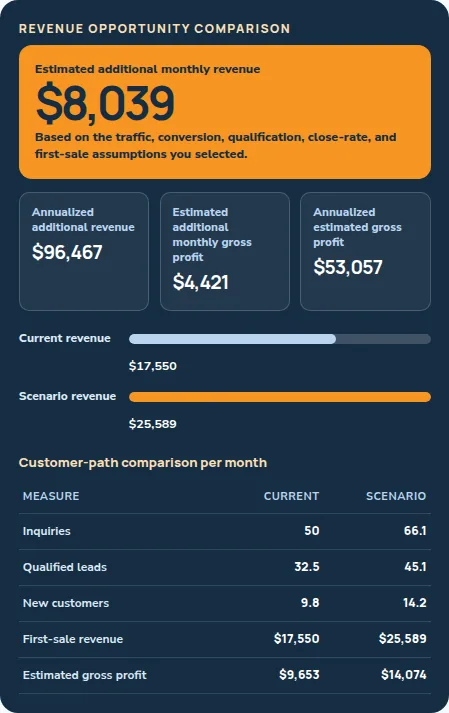
Website & marketing scenario
Website Profit Potential Calculator
Test how changes in traffic, inquiry quality, conversion, close rate, and first-sale value could affect first-sale revenue and estimated gross profit.
- A baseline from your website visitors, inquiries, qualification, closes, first sale, and margin
- The planning levers connected to traffic, conversion, qualification, close rate, and average first sale
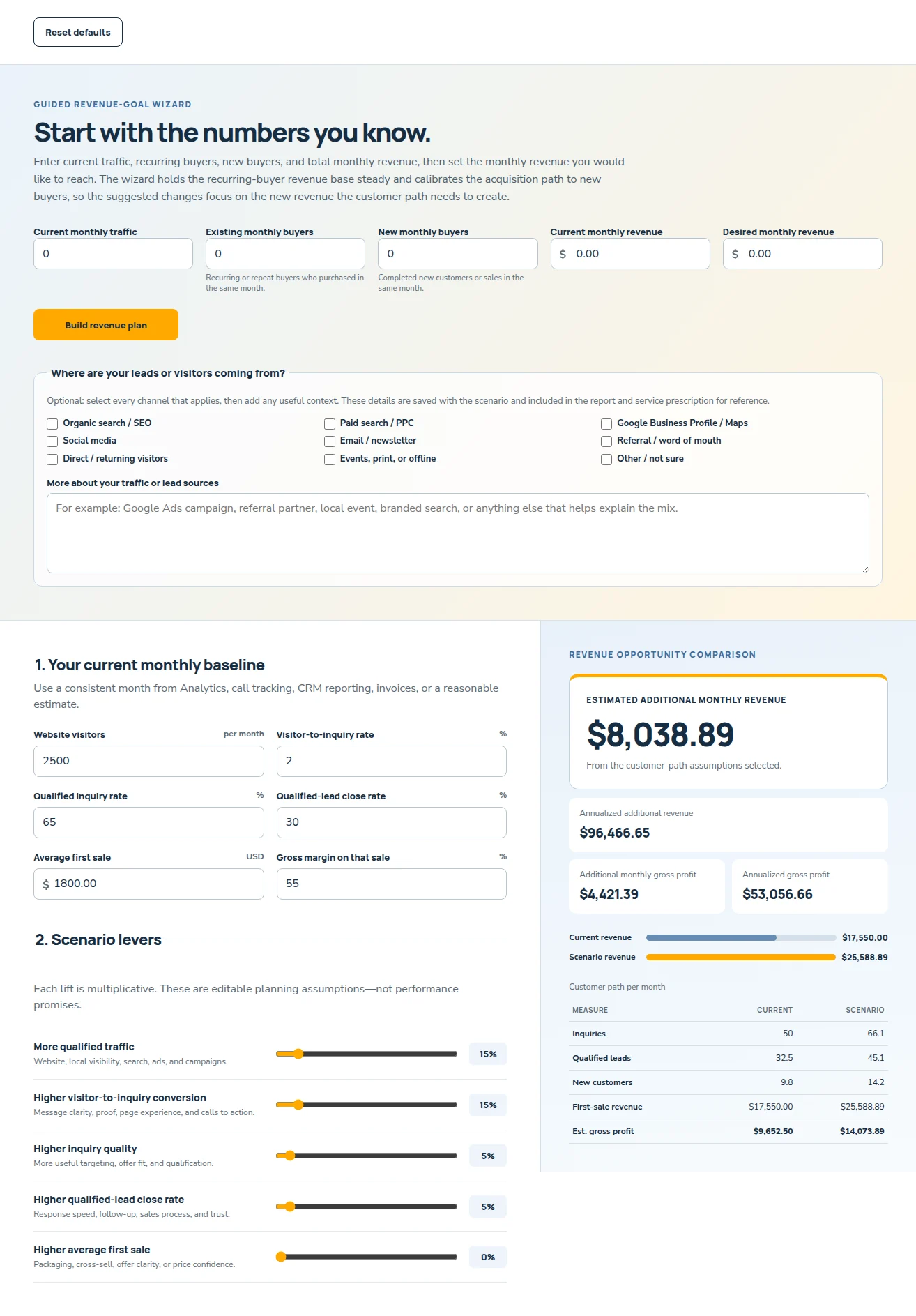
Revenue-goal scenario
Reverse Revenue Planner
Start with traffic, recurring and new monthly buyers, current revenue, and a revenue goal to map the customer-path changes that could be worth testing.
- Your current traffic, recurring buyers, new buyers, and total monthly revenue
- A desired monthly revenue target and the modeled customer-path changes behind it
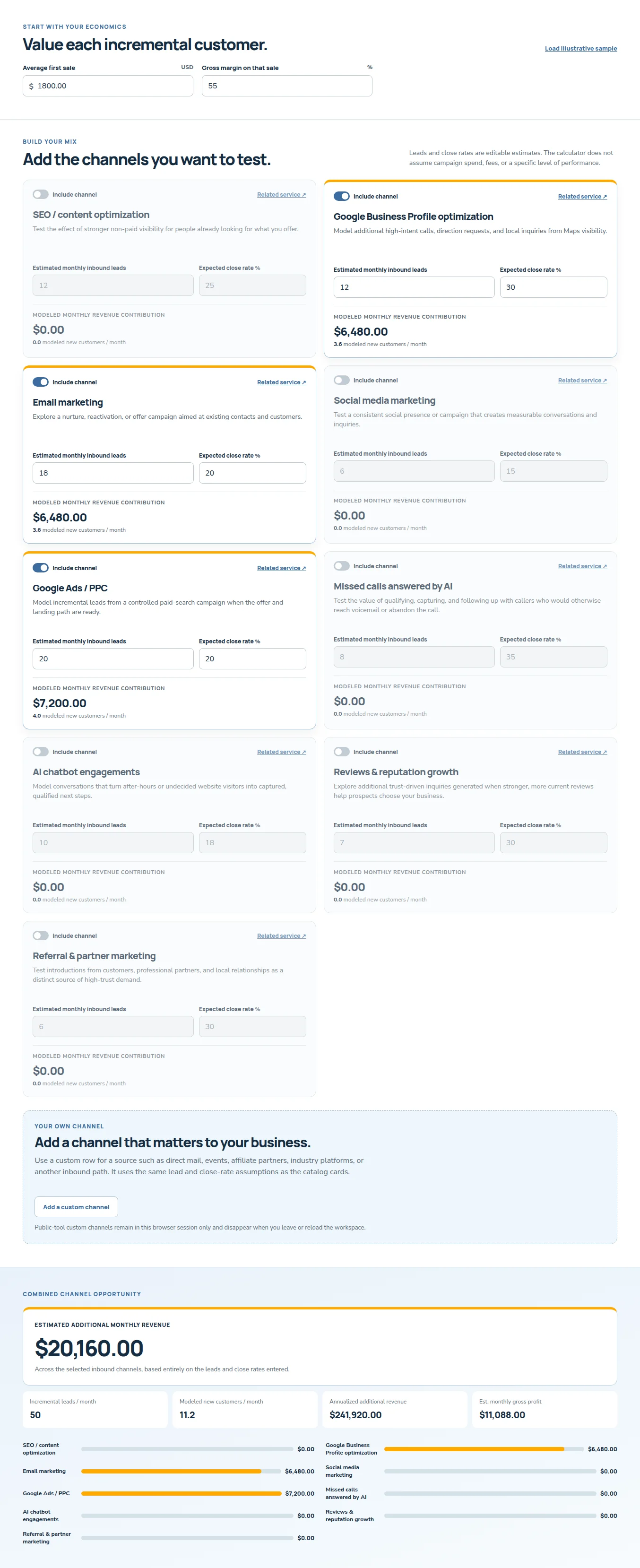
Marketing-mix scenario
Inbound Channel Impact Calculator
Compare a mix of search, local visibility, email, social, paid, AI-assisted, review, and referral channels using your own lead and close-rate assumptions.
- Ten inbound channels, including exit intent pop-ups & opt-ins, missed calls & DM's answered by AI, and AI chatbot engagements
- Expected inbound leads, close rate, average first sale, and gross margin for each selected channel
Planning notice. All calculator outputs are hypothetical projections; actual results will vary. Public workspaces start fresh and do not save scenarios, email reports, create prescriptions, or expose saved records.
Practical resources
Bring a more useful question to the next conversation.
Start with the checklist, then use the related learning below when it matches the decision in front of you.
Practical checklist
Website Recovery & Optimization Checklist
Find the highest-impact website fixes before you commit to a larger rebuild.
- Record the pages where customers hesitate, leave, or fail to contact you.
- Check mobile speed, broken links, forms, calls-to-action, and the simplest conversion path.
- List the content, access, analytics, and platform constraints affecting a repair.
7 points to work through
Get the checklistGuide
Why Do Websites Fail?
A diagnostic guide for owners who want to understand why a site is not producing calls or inquiries.
Get accessThe checklist uses a short business-information form, then arrives by email and stays in your client portal. Related courses and guides use their own opt-in forms; the self-check quiz is available directly.
